
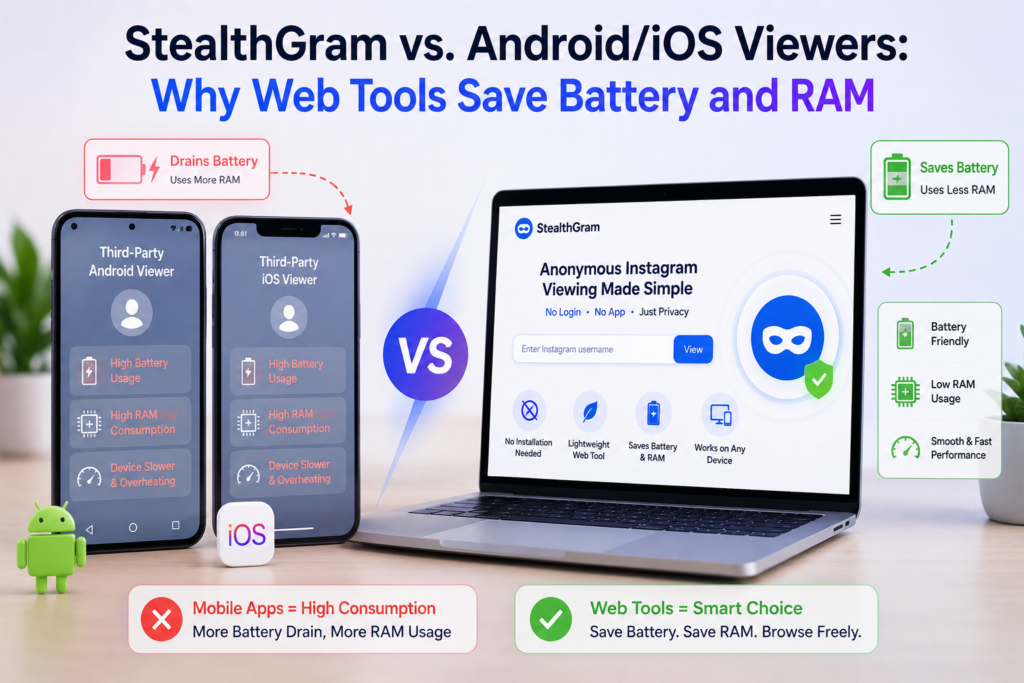

Modern mobile ecosystems are highly advanced, but they are bounded by physical hardware constraints. Microprocessors, thermodynamic limits, and lithium-ion battery chemistries dictate how long a device remains fast and responsive. For professionals, digital analysts, and casual users executing competitive research or viewing public profiles, tool selection heavily influences system longevity.
While the initial impulse for many is to browse app distribution platforms for a quick software download, this local deployment model introduces severe resource overhead. Analyzing the architectural differences between native binaries and decentralized cloud layers reveals why StealthGram serves as a vital framework for maximizing local hardware efficiency.
The Hidden Mechanics of Background Resource Consumption
When a compiled application is installed onto an Android or iOS filesystem, its operational footprint extends far beyond its active interface window. Mobile software frameworks are built to maintain persistence.
CPU Wake-Locks and Background Execution
Native applications regularly register background services that continuously listen for system triggers, broadcast events, or server-side synchronization signals. When you install a standalone viewing app, it often employs “wake-locks.” This technical mechanism prevents your phone’s central processing unit (CPU) from entering its deep, low-power sleep state. Even when your smartphone screen is turned off inside your pocket, the app’s compiled loops continue to run cycles on your processor, causing unexplained battery depletion and thermal throttling.
Memory Allocation and RAM Fragmenting
Random Access Memory (RAM) acts as the high-speed scratchpad for your mobile device’s operating system. When local memory capacity becomes congested, the platform must aggressively terminate cached background processes to free up space.
Local utility tools are frequently built on unoptimized, bloated frameworks. In order to load high-definition media feeds, compile local user interfaces, and execute localized network tracking, these binaries command a significant block of system memory. On mid-range devices with limited RAM capacity, running a single local viewing tool can create memory fragmentation. This causes standard system actions—like launching a keyboard or switching between professional communication tools—to experience noticeable lag and sudden performance drops.
Eliminating Local Hardware Strain via Cloud Offloading
Web-based applications approach memory and power management through an entirely different technical paradigm. Instead of consuming local silicon cycles, a modern cloud utility like StealthGram shifts the heavy computation away from your physical hardware.
When you execute a lookup through StealthGram, your local web browser functions simply as a visual rendering terminal. The intense tasks of querying destination networks, managing API handshakes, and decoding media fragments occur entirely on remote, high-capacity cloud sandboxes. Once the server cleans and optimizes the media stream, it transmits a highly compressed, static visual representation to your browser window. Because your phone’s processor is spared from handling raw script execution, your device stays cool, stable, and completely unstressed.
Technical Performance Matrix
| Hardware Vector | Downloadable Operating Packages | Cloud-Rendered Engines (StealthGram) |
| Active System Load | Heavy (Local loop compilation and metric tracking) | Negligible (Standard web page image rendering) |
| RAM Footprint | 150MB – 450MB (Persistent system cache) | 20MB – 60MB (Volatile temporary browser tab) |
| Battery Depreciation | High (Continuous CPU wake-lock triggers) | Baseline (Equal to reading a text article online) |
| Storage Accumulation | Creates permanent databases and media caches | Automatically deleted when the session tab closes |
| Post-Session Activity | Remains active via background polling scripts | Zero execution once the tab is unmounted |
Embedded SDKs: The True Cause of Thermal Drain
The primary culprit behind the aggressive battery drain found in free mobile tools is not the core feature itself, but the integrated monetization pipeline. Because indie developers must generate digital revenue to sustain server infrastructure, they heavily integrate third-party advertising and analytics Software Development Kits (SDKs).
These hidden tracking scripts run non-stop in the background, pinging remote geo-location databases, polling device hardware configurations, and packaging user analytics to sell to advertising networks. This constant background network transmission keeps your phone’s internal cellular modems and Wi-Fi chips permanently active.
Utilizing StealthGram bypasses this hidden ecosystem entirely. Because the platform executes its operations inside an isolated cloud bridge, no telemetry trackers, advertising loops, or analytical scripts can ever install themselves onto your local operating system. This protects your physical battery health from malicious degradation.
Maximizing Browser Engine Optimizations
By utilizing modern web standards, browser-based utilities take immediate advantage of highly optimized internal engines like WebKit and Blink. Web developers spend decades tuning these browsers for hyper-efficient memory allocation, and StealthGram builds directly on top of this groundwork.
When you launch a search on StealthGram, your mobile browser encapsulates the session inside a distinct, restricted memory sandbox. The moment your research task is complete and you close out that temporary tab, the browser instantly purges the memory block. No residual databases remain, no hidden background processes persist, and no persistent caches clutter your storage drive.
Maintaining this level of lean, clean device execution mirrors the discipline required when expanding your web architecture using off-page SEO solutions. Just as you must keep your domain clean from bloated, low-quality spam footprints to preserve search presence, you must also keep your mobile operating system free from bloated, local application binaries to preserve device health.
Discarding Tracking Fingerprints and Local Memory Footprints
Native apps exploit their deep operating system integration to extract highly specific hardware signatures. They use browser independent tracking methods to map your hardware serial numbers, screen refresh rates, and core architecture to build a persistent profile of your real-world identity.
Because StealthGram processes all target queries on remote proxy servers, destination data networks only see the uniform, non-identifiable technical footprint of the cloud server. This keeps your device fingerprint entirely safe from aggregation scripts.
For brand managers, corporate investigators, and digital media agencies, keeping research tasks completely isolated is crucial. It stops automated algorithms from mapping out your future operational goals. This secure approach is just as fundamental as acquiring editorial web signals to build authority safely without creating footprints that alert competitors. Both methodologies focus on absolute cleanliness, zero local footprints, and long-term security.
Final Thoughts: Prioritize Device Integrity
Standalone mobile utility packages represent a structural risk to your phone’s daily operational efficiency. They clog up active memory chips, create aggressive CPU wake-locks, and run background telemetry scripts that shorten your physical battery lifespan.
Cloud-rendered web tools provide a much cleaner and smarter alternative. Using StealthGram allows you to audit public content instantly without sacrificing your phone’s processing speed or daily power reserves. By shifting the entire computation workload onto secure cloud sandboxes, StealthGram ensures your mobile hardware remains cool, responsive, and completely secure. Ditch the heavy app downloads and opt for the lightweight, browser-based route to preserve your device health.







Pingback: Free Instagram Story Viewers Safe? Risks & Secure Alternatives
Pingback: Peter Buchignani: A Stealthgram Analysis
Pingback: Pedrovazpaulo Business Consultant: Strategy & Growth Guidance