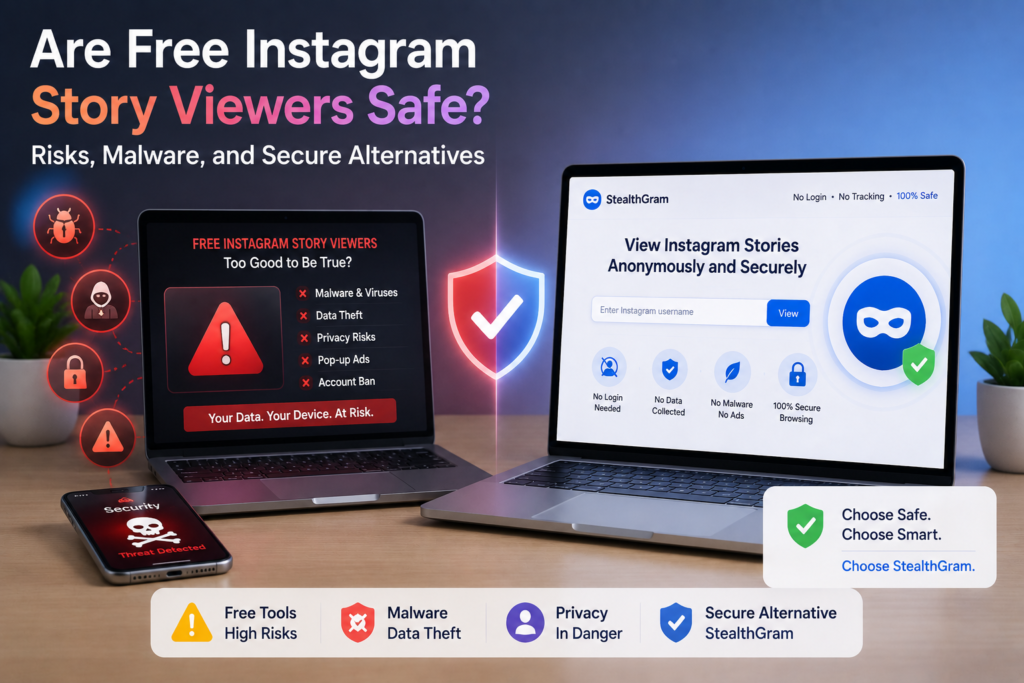

The demand for online privacy has created a massive market for third-party social media tools. Among these utilities, anonymous story viewers are exceptionally popular. Millions of users daily seek ways to audit competitor campaigns, research market trends, or view public profiles without leaving a digital footprint. However, because these tools operate outside the official ecosystem of major social networks, they exist in a highly unregulated space.
If you are asking yourself whether free Instagram story viewers are actually safe, the short answer is: it depends heavily on the tool’s architecture. While web-based cloud services are generally secure, downloadable applications and browser extensions present severe security liabilities. Understanding the underlying risks of these utilities is essential for protecting your personal data and local hardware.
The Hidden Architecture of Free Downloader Apps
To understand the security profile of any digital utility, you must first examine its monetization model. Building and maintaining servers to fetch media files requires continuous financial investment. When a platform offers these services for free, they must find alternative methods to sustain their business.
The Problem with Local Application Installs
Many users mistakenly download executable packages (.apk files for Android or unverified software on iOS) to view stories anonymously. Unlike standard web browsers, these local apps require direct installation onto your smartphone’s storage. Once installed, they often request extensive system permissions—such as access to your camera, contact books, local files, and location data. This “permission creep” allows the app developer to collect your personal background data and monetize digital assets by selling your behavioral profiles to global advertising networks.
Key Risks Associated with Unverified Story Viewers
When you bypass official app stores or run unverified scripts on your device, you expose your system to three primary threats:
1. Embedded Adware and Malware
Free downloadable viewers are notorious for containing hidden adware scripts. These scripts run persistently in your device’s background, forcing unwanted pop-up ads onto your screen, draining your battery, and slowing down system processes. In worst-case scenarios, malicious developers bundle trojans or spyware inside the installation package, allowing them to log keystrokes or steal sensitive login credentials from other apps on your phone.
2. Browser Extension Data Harvesting
Another common method users try is installing browser extensions. While extensions seem lightweight, they often require permission to “read and change all your data on the websites you visit.” This means the extension can monitor your active browsing sessions, capture cookies, and potentially steal active session tokens for your personal social media accounts.
3. Phishing and Forced Logins
A major red flag for any third-party tool is a mandatory login screen. If a utility asks you to enter your personal social media username and password to “unlock” anonymous viewing features, it is highly likely a phishing trap. Reputable services will never ask for your personal credentials to view public files.
How Web-Based Cloud Tools Eliminate Device Risk
Fortunately, you do not have to compromise your digital safety to view public content. Web-based cloud applications offer a highly secure alternative to downloadable binaries. This is where a dedicated platform like StealthGram completely redefines the user experience.
Instead of forcing you to install executable files or grant deep system permissions, StealthGram operates entirely on secure remote servers. You simply visit the website using your existing browser and run your query. The heavy lifting—requesting the media, rendering the graphics, and isolating the connection—takes place in a remote cloud sandbox. Your local phone hardware remains completely untouched, ensuring that malicious scripts can never access your personal storage or system memory.
Comparing the Security Profiles of Third-Party Utilities
To help you make an informed decision, this table compares the security features of the three main types of viewing tools available today:
| Security Parameter | Downloadable Mobile Apps | Third-Party Browser Extensions | Web-Based Cloud Tools (StealthGram) |
|---|---|---|---|
| System Permissions | High (Requests storage, location, contacts) | High (Monitors all active tabs & data) | None (Runs purely in a standard sandbox) |
| Malware Vulnerability | Severe (Risk of bundled background trojans) | Moderate (Risk of rogue developer updates) | Zero (No software execution on your device) |
| Hardware Performance | High battery drain & active CPU throttling | Moderate RAM consumption per active tab | Zero impact (All processing happens on servers) |
| Login Requirement | Frequently forces phishing login screens | Often tracks active browser cookie sessions | No registration or credentials ever required |
| Data Retention | Tracks device serials and hardware IDs | Logs browsing history and search habits | Instantly purges query logs after session |
Understanding Network-Level Tracking Protection
Beyond physical malware, privacy lovers must also worry about digital footprints. Whenever you view a story directly, the target server records your IP address, browser type, and language settings to build a unique signature. This process is called browser independent tracking.
If you use a standard native browser, tracking networks can easily link your anonymous searches back to your real-world identity. A secure cloud engine like StealthGram solves this by acting as an intermediary proxy shield. The destination servers only see the generic technical request of the StealthGram server, keeping your personal IP address, device location, and hardware footprint completely invisible.
Establishing a highly secure, clean browsing setup is just as vital as building a natural link profile using expert off-page strategies. Just as a webmaster avoids spammy, low-quality backlink footprints to protect their site’s ranking, a digital researcher must avoid dirty local software footprints to protect their device integrity.
Best Practices for Maintaining Online Privacy
If you need to regularly audit competitors or research public social trends, following these digital safety rules will keep your devices secure:
- Avoid Downloads: Never download
.apkfiles or installer packages from third-party websites. Stick exclusively to browser-based utilities. - Never Log In: If a tool asks you to input your personal social media password, close the tab immediately.
- Utilize Incognito Mode: When using web services like StealthGram, run them inside your browser’s private or incognito window. This ensures that even temporary local cache files are wiped the moment you close the tab.
- Clear Browser Cache: Regularly clean your browser’s temporary storage to keep your system fast and free from persistent tracker cookies.
By adopting these habits and relying on clean cloud services, you protect your system from modern cybersecurity threats. This level of architectural cleanliness is highly comparable to acquiring reputable authority links for an online business. Both practices prioritize long-term safety, rely on clean execution paths, and completely avoid shortcuts that could lead to penalties or security breaches.
The Verdict: Choose Cloud Tools Over Native Apps
Are free Instagram story viewers safe? If you are downloading them onto your local phone processor, the risks of malware, data harvesting, and device slowing are simply too high.
However, cloud-rendered alternatives offer a perfectly secure path. By utilizing StealthGram, you get the best of both worlds: instant, unrestricted access to public stories and total peace of mind. Your local smartphone hardware remains completely isolated from third-party trackers, keeping your device cool, fast, and secure. Skip the risky downloads, avoid unverified extensions, and use a clean web-based utility to keep your digital research entirely private.





Pingback: Trey Kulley Majors: Everything You Need to Know