

The internet used to be an open space where anyone could browse freely. Today, things are very different. Almost every website you visit wants your data. They block your screen with cookie banners, newsletter forms, and signup pages.
Social media networks are the biggest culprits. Their most frustrating feature is the mandatory login wall.
You have probably dealt with this issue yourself. Imagine you click a link to look at a public Instagram profile. The page opens and you start scrolling. You look at three or four photos, but then the screen suddenly freezes. A large pop-up box blocks your view. It tells you that you must sign in or create a new account to see anything else.
This is not a technical glitch or a mistake. The platform designed it this way on purpose to force you to sign up.
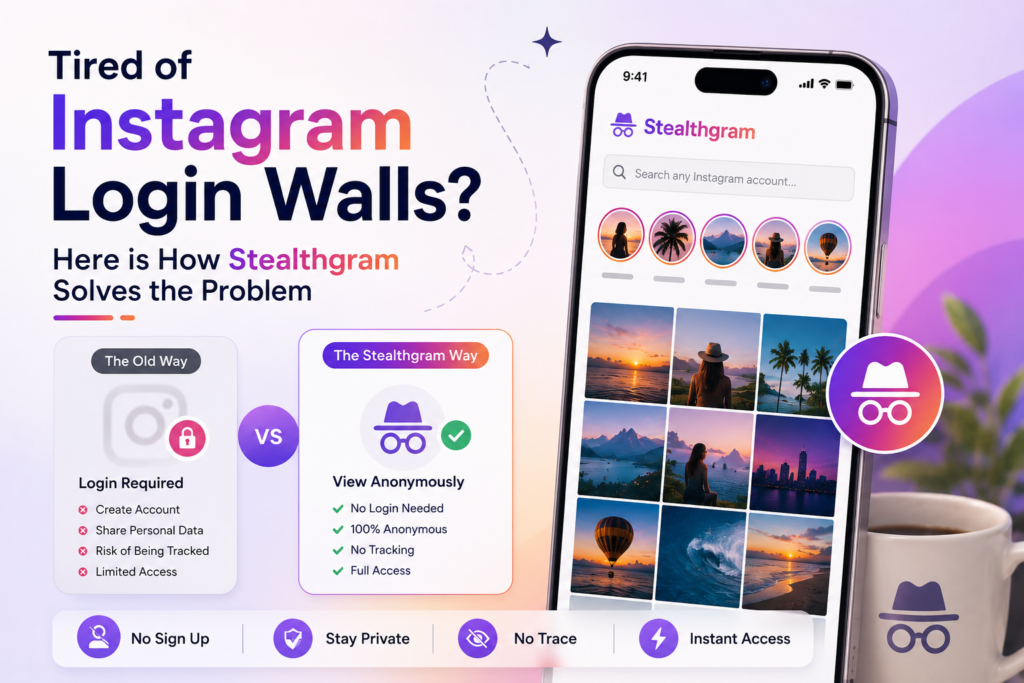
The good news is that you do not have to share your private data just to look at public information. Private web tools like Stealthgram fix this exact issue. They offer a simple, secure way to bypass these annoying pop-up blocks instantly.
This article explains why these digital roadblocks exist and how Stealthgram helps you browse public profiles with complete peace of mind.
Why Do Social Media Platforms Block Guests?
Social media websites do not block content because their servers are full. They block it because anonymous traffic does not make them any money. An anonymous user is useless to their advertising systems.
When a website forces you to create an account, they have a clear plan. They want to achieve a few specific goals:
- Gather Personal Details: They want to link your internet session to a real email address or phone number.
- Monitor Your Tracking Habits: They track the exact number of seconds you spend looking at a specific picture, video, or brand.
- Deliver Target Advertisements: Once you log into an account, their tracking scripts follow you across the web to display targeted ads.
This system helps the company make huge profits, but it completely destroys your browsing experience. It turns a quick online search into an aggressive data trap.
The True Risks of Using “Burner” Accounts
Many people try to beat the system by creating a fake secondary profile, often called a “burner” account. While this seems like a clever trick, it does not actually protect your personal privacy.
Modern web tracking is highly advanced. Tech companies do not just look at your account name. The exact moment you log into any profile, the website starts scanning your device details:
- Device Fingerprinting: The system records your phone or laptop type, your browser extensions, your operating system, and your screen size.
- Network Mapping: Your actual IP address, local internet provider, and exact physical location are saved instantly.
- Cross-Site Connections: The platform connects your login session with invisible tracking scripts built into thousands of other websites you visit every day.
Because of this deep tracking, a burner profile is just a cosmetic mask. Your real-world identity and web habits are still quietly connected in the background.
How Stealthgram Safely Breaks the Wall
This is where Stealthgram changes everything. It works as a secure digital shield between your personal device and the platform’s tracking systems.
Instead of your browser connecting directly to the social network, Stealthgram routes the request through its own isolated servers.
[Your Phone/PC] ───► [Stealthgram Server] ───► [Public Content]
       ▲                                              │
       │                                              ▼
[Safe Clean Display] ◄─── (Strips Tracker Scripts) ───┘
The process is very straightforward:
- Your Part: You type a public username into the clean Stealthgram search bar.
- The Tool’s Part: Stealthgram’s secure server fetches the public media assets on its own end.
- The Final Result: The content displays on your screen in a beautiful layout, completely free of tracking scripts and login prompts.
Since your device never makes direct contact with the social media network, the tracking algorithms cannot drop cookies on your phone or freeze your screen. The login wall simply vanishes.
Key Benefits of Account-Free Web Browsing
Using an external server-side utility offers a few major upgrades over traditional browsing habits:
Smooth and Quick Access
You can finally say goodbye to frozen web pages and blurry photo grids. Stealthgram loads public feeds almost instantly. This gives you a seamless scrolling experience without any artificial speed bumps.
Total IP Insulation
Because an external proxy network manages your web query, your true network location and IP address never leak to the target accounts. Your personal identity stays 100% safe.
Permanent Media Archiving
Public social media feeds change all the time. Content creators often delete photos, archive old grids, or take down active stories after a few hours. Stealthgram includes easy, built-in download buttons. This lets you archive high-quality images and videos directly to your local storage safely and quietly.
Step-by-Step Guide: How to Browse Without Limits
You do not need to download apps or install risky browser extensions to use Stealthgram. The entire system runs directly inside any standard web browser on your phone, tablet, or PC:
Step 1: Confirm Profile Status
Stealthgram follows strict open-source data rules and respects individual choices. It cannot look inside private accounts. Before searching, make sure the profile you want to check is configured as a public account.
Step 2: Open the Secure Portal
Launch a privacy-first web browser (like Brave, Safari, or Firefox) and head straight to the official Stealthgram website.
Step 3: Enter the Profile Handle
Find the clean input bar on the main homepage dashboard. Type the exact username of the public account you want to look at. You do not need to copy long links or paste complex URLs; the plain text username is all you need.
Step 4: View and Save Content
Press the process button. The backend system will securely gather the public files and display them on your screen. You can now read captions, view active highlights, and watch current stories without any pop-ups. If you want to keep a record of the media, use the download toggle to save the files to your device.
Tips to Enhance Your Daily Web Privacy
Bypassing forced signup screens is a wonderful first step, but protecting your data online requires a daily strategy. Consider adding these simple habits to your routine:
- Flush Your Web Cache: Make it a habit to clear your browser’s cookies and temporary history files every few days to break up tracking chains.
- Run a Trusted VPN: Always deploy a verified Virtual Private Network alongside your web utilities to encrypt your local network traffic.
- Avoid Content-Unblocking Addons: Be very careful with downloadable extensions that promise to unblock social networks. Many of these tools track your browsing history secretly in the background.
Conclusion
The continuous growth of online roadblocks and forced registrations shows that the modern web prioritizes data collection over user experience. However, you do not have to accept these terms just to look at open, public data.
Utilities like Stealthgram put control back into the hands of the user. By removing invasive login walls and stripping out tracking scripts, the platform gives you the freedom to check market trends, research content ideas, and view public feeds entirely on your own terms. Protect your valuable time, secure your digital identity, and enjoy a cleaner, better internet.







Pingback: StealthGram Review: Can It Really Download Instagram Stories Secretly? - StealthGram