
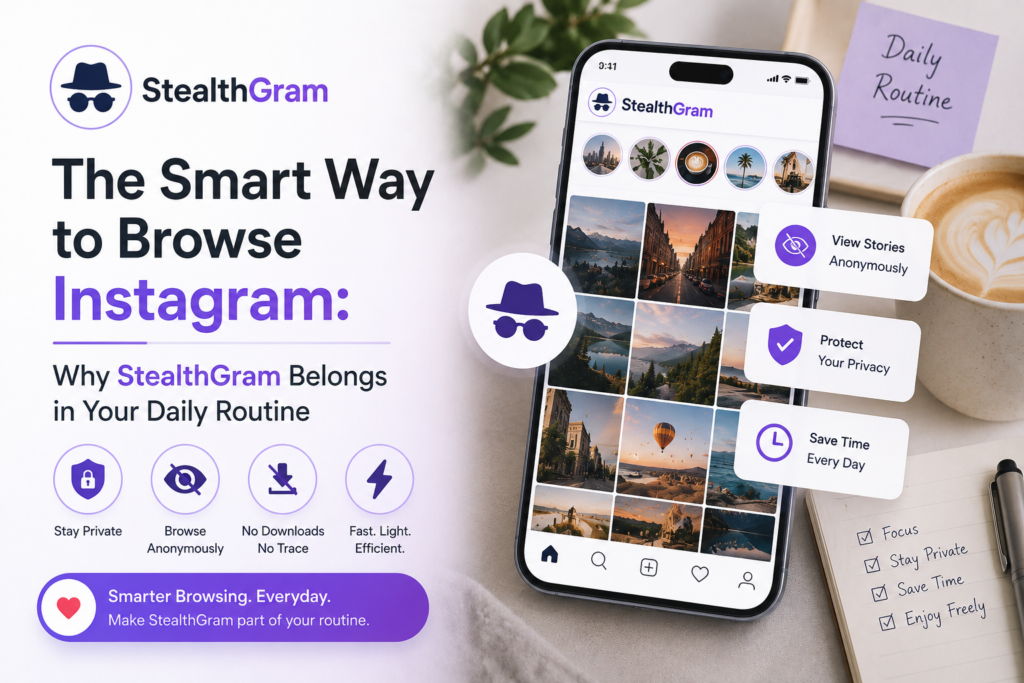

We all do it. Whether you are checking up on a local business, looking at updates from a public figure, or just following a link a friend sent you, Instagram is a huge part of how we look at stuff online today. But if you don’t want to constantly log in, or if you don’t even have an account, the platform makes things incredibly annoying. The moment you click a public profile, a massive login screen pops up and blocks your entire view. It completely ruins the experience, especially if you just want a quick five-second glance. That is exactly why having a tool like StealthGram handy in your daily routine changes the entire game.
We focus a lot on our phone screen time and internet habits, but we rarely think about how we actually access information. Using a clean web setup like StealthGram means you can stay updated on public profiles without jumping through hoops, dealing with mandatory tracking, or giving up your personal space just to see a public photo.
What Happens to Your Data Behind the Scenes?
To understand why switching up your browsing habits matters, you have to look at how these massive social platforms operate. They don’t give away free content out of generosity. Their whole system is built on tracking what you do down to the millisecond. Every single time you log into an app to view a quick 24-hour story, you leave a massive digital footprint behind.
The internal systems track how long you look at a image, what kind of accounts you prefer, and use that data to serve you targeted ads for weeks. Plus, your actual personal username shows up right on the creator’s viewer list. If you are a casual browser, a researcher, or just someone who likes keeping their interests to themselves, that is a pretty bad system.
When you start using StealthGram as part of your daily internet habits, you cut that tracking out completely. Instead of demanding a sign-up or profile link, StealthGram acts as a completely private middleman that grabs the public media for you safely. Because the whole request runs externally, the StealthGram engine makes sure your personal data, browser details, and location never touch their data-harvesting servers.
Why StealthGram Fits Perfectly Into Your Day
Most people assume that keeping your online life private means using complicated tech, messing with slow setups, or deleting your internet presence entirely. But it is actually way simpler than that. It is all about making tiny, smart changes to how you browse. Bringing StealthGram into your regular routine offers a lot of practical benefits that make daily browsing much smoother:
1. You Control Your Attention Span
Social media platforms are literally built to keep you hooked. The endless scroll, the algorithms, and the constant notifications are designed to steal your time. When you use StealthGram, you break that cycle. You search the public profile you want, check the update, and you are done. There is no algorithm pushing clickbait or trying to drag you into an hour-long scrolling rabbit hole. You get the information you need and go back to your day.
2. No More Annoying Burner Accounts
A lot of people try to get around the tracking problem by creating fake secondary accounts. Honestly, managing those is a massive headache. You need extra emails, phone numbers, and security bots constantly flag or ban them anyway. By using the straightforward setup on StealthGram, you can forget about fake accounts entirely. You get instant access to public data whenever you want without managing a list of passwords.
3. A Better Desktop Experience
Social platforms intentionally make their desktop browser versions clunky because they want to force everyone onto their mobile apps where tracking is easier. StealthGram gives you back full control. Whether you are on a laptop at work or checking something quickly on your phone browser, the interface is fast, light, and completely unrestricted.
How to Use StealthGram in Your Daily Routine
One of the best things about this tool is that it doesn’t require any technical setup or downloads. It was built to be completely accessible, lightweight, and fast for anyone who knows how to open a website.
Adding StealthGram to your everyday routine takes less than a minute:
1.Go to the Site:Step 1.
Whenever you want to view a public story or update, just open your favorite mobile or desktop browser and go straight to the official StealthGram site.
2.Type the Handle:Step 2.
Look for the clean search box right on the main page. Type the public username you want to check out into the StealthGram bar.
3.View Instantly:Step 3.
Hit search, and the StealthGram system pulls the active public stories right onto your screen without leaving any record on the creator’s profile.
Web Tools vs. App Store Downloads
A lot of casual users instantly go to app stores looking for utilities to modify their social media. However, using a pure web platform like StealthGram is a much safer bet for your phone’s health and security.
You Don’t Have to Grant Device Permissions
Downloadable apps almost always ask for creepy permissions before they even let you use them. They want your location, your contacts, or access to your photos. Because StealthGram runs entirely inside a standard browser tab, it physically cannot touch your phone’s internal files, keeping your data safe.
Save Your Battery and Storage
Native mobile apps constantly run hidden background tasks, send spam notifications, and drain your battery. They also take up hundreds of megabytes of storage with junk cache files. Since StealthGram is a simple web tool, it uses zero resources when the tab is closed, keeping your device running smoothly.
Real Privacy Rules to Keep in Mind
Even though viewing public web info is incredibly easy, practicing good basic internet safety is always smart:
⚠️ Avoid Scams: Remember that genuine privacy sites like StealthGram can only view public profiles. If a website or app claims it can open a locked private account, it is a dangerous scam meant to steal your passwords or infect your device.
- Never Share Passwords: A safe utility will never ask for your email, phone number, or social media passwords. The real StealthGram tool doesn’t even have a sign-up page.
- Use Private Browsing for a Clean Slate: For extra peace of mind, open StealthGram inside an Incognito window. That way, your own device history won’t even save a record of the public pages you looked at during the day.
Conclusion
Protecting your online identity doesn’t mean you have to stop looking at the content you enjoy. It just means using smarter ways to access it. By making StealthGram a quick part of your daily browsing routine, you can skip the annoying login popups and enjoy the open web on your own terms. It is a cleaner, faster, and much more private way to browse without giving up your basic right to digital privacy.







Pingback: How to Use StealthGram to Research Competitors Safely