
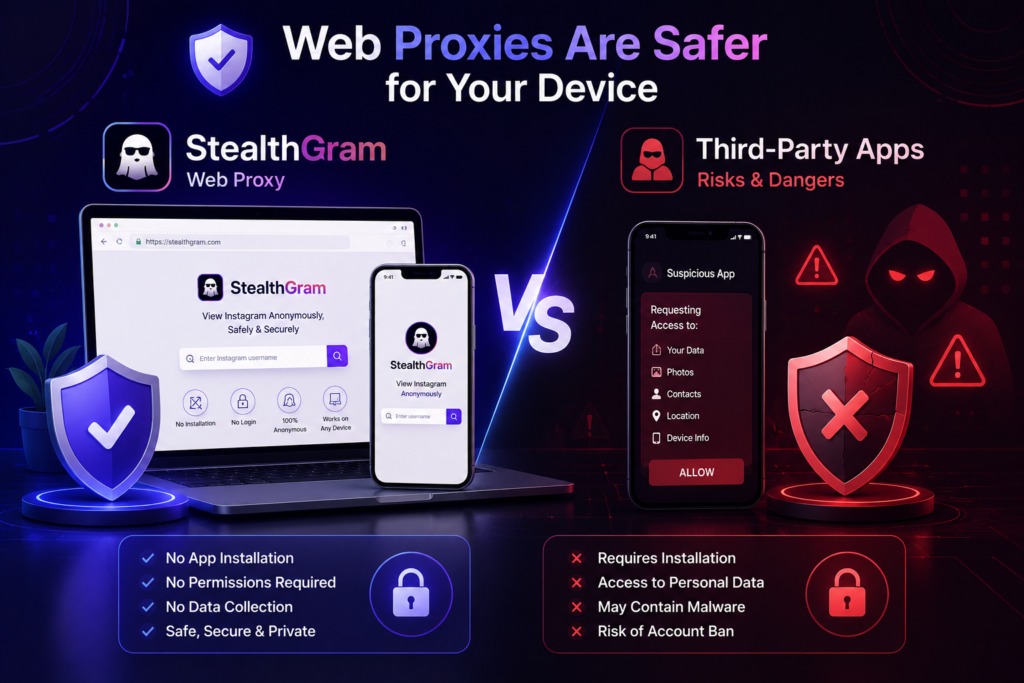

Using StealthGram has rapidly evolved into a preferred choice for thousands of active internet users who value their online data privacy and device performance. In the modern digital era, the temptation to monitor market competitors, social media trends, and public profiles anonymously is higher than ever before. However, the methods people choose to achieve this privacy can vary drastically. While some individuals immediately look for downloadable mobile applications in various marketplaces, seasoned web researchers know that installing unknown software poses massive operational risks.
Consequently, when you make the choice to audit social platforms silently, you must prioritize the health of your smartphone or desktop computer. Downloadable utilities often promise seamless background access, but they carry heavy hidden scripts that can compromise your personal files.
Fortunately, you do not have to put your hardware at risk just to view public media grids or stories. Shifting your digital workflow toward a secure, browser-based cloud proxy allows you to safely extract all the public insights you need while keeping your device completely insulated from harmful scripts.
The Dark Reality of Downloadable Third-Party Applications
Before exploring how StealthGram keeps your operating system safe, we need to address the underlying dangers of downloading unofficial utility apps. Many content creators and digital marketers assume that if an application is available for download, it must be thoroughly vetted and secure.
In reality, the independent software market is saturated with unverified packages. Choosing to install these apps creates an immediate vulnerability gap in your digital setup through several specific channels:
1. Intrusive Device Permissions and Data Harvesting
Most utility apps cannot function unless you grant them extensive administrative access to your phone’s internal storage, contact lists, and geographic location data. There is absolutely no logical reason why a simple profile viewer needs to know your exact physical coordinates or look through your private family photos. Furthermore, many of these free applications generate revenue by silently bundling your background data and selling it to third-party marketing agencies without your explicit consent.
2. Battery Drain and Background Resource Ingestion
Mobile applications are notorious for running hidden background processes that constantly refresh in the distance, even when your screen is turned off. These continuous loops actively drain your battery health, use up valuable RAM, and slow down your device’s overall processing speeds. As a result, your phone starts lagging during basic daily tasks. To prevent this performance decline, using a clean web portal like StealthGram ensures that your system resources are only used when you actively have the tab open.
3. Exposure to Malicious Code and Spyware Bundles
The most severe threat comes from modified application files hosted on unverified third-party websites. Malicious developers frequently clone popular web utilities and repackage them with hidden spyware, adware, or keyloggers designed to steal sensitive corporate passwords. Once you install these files onto an office computer or personal smartphone, removing the deep-seated infection becomes incredibly difficult without performing a complete factory reset.
Why Browser-Based Cloud Proxies Offer Ultimate Protection
The safest way to handle daily media research is to completely eliminate the need for software installations. High-performance cloud structures like StealthGram completely change the dynamic by executing the heavy lifting on remote internet nodes rather than on your local microchips.
The primary structural advantage here is complete isolation. When you input a public handle into StealthGram, the underlying platform scripts launch a temporary secure handshake on a distant virtual server. The remote machine processes the complex javascript files, strips away the tracking cookies, and displays a clean visual layout directly inside your standard web browser. Consequently, your personal operating system never comes into contact with raw, untrusted social media scripts, leaving your machine fully protected.
📊 Comparative Security Breakdown:
- Account Requirements: Third-party apps frequently force you to type in your private account credentials or create a burner profile, risking an immediate ban. Conversely, web proxies require absolutely no authentication or signups.
- System Footprint: Downloadable software fills up your phone’s storage cache and leaves tracking fragments behind. Web tools leave zero operational footprint on your hard drive.
- Cross-Platform Agility: An application built for Android will not work on an iPhone without tedious conversions. A cloud tool runs flawlessly on any device with an active internet connection.
Maximizing Operational Security During Online Research
Even when you are using a secure cloud framework like StealthGram, maintaining smart browsing habits is essential for protecting your professional workspace. Cyber threats are constantly evolving, so your team should practice these key defensive habits:
Rely Strictly on Native Browser Operations
If you need to archive a public image for an upcoming marketing swipe file, always use your browser’s native “Save Image As” command. Avoid clicking random pop-up download buttons or flash player shortcuts that appear on unverified utility sites. Native browser commands run through your system’s built-in sandbox, ensuring that the saved file is a harmless image format rather than an executable script.
Keep Your Primary Web Browsers Updated
Modern browsers receive weekly security patches designed to block newly discovered web vulnerabilities. Whether you prefer Chrome, Safari, or Firefox, keeping your browser updated ensures that its internal security shield can block malicious redirects. Therefore, combining an updated browser with the clean architecture of StealthGram creates an impenetrable double-layer defense system for your daily research operations.
The Long-Term Performance Benefit for Smart Devices
Choosing a cloud proxy over an app installer is also a smart decision for your device’s longevity. Every app you add increases the complexity of your operating system, leading to fragmented storage drives and clogged registries.
By utilizing StealthGram, you keep your device’s ecosystem clean and organized. You can easily access deep data analytics, analyze competitor aesthetic themes, and track time-sensitive industry campaigns seamlessly through a single browser tab, preserving your device’s speed and efficiency for the long haul.
Final Thoughts
You do not have to compromise your personal data security or risk device lag just to stay informed about your industry’s digital trends. While third-party application downloads expose your hardware to background tracking, resource exhaustion, and hidden malware bundles, web-based proxies provide a zero-risk solution.
By shifting your standard research routine over to the secure, isolated environment of StealthGram, you can easily bypass invasive login gates, protect your primary business network, and keep your daily market analysis completely confidential and secure.





Pingback: How to Safely Route Web Data on Mobile Devices